解决 Dify 访问 https 非 443 标准端口报错 403 Forbidden
最近做了一些 OCR 相关的内容,主要和本身业务系统相结合,对外 POC 环境因为地图坐标定位需要使用 https 才行,所以映射到外网的端口做了 https,虽然是 https 了,但是是非标准的 443 端口(纯做的内外网映射),上传的文件到 rustfs 之后暴露的文件访问地址,配置在 dify 工具调用的时候报错 403Forbidden,就因为单纯从内网 ip+端口改成外网域名+https 就出现这个问题,一开始以为是程序报的状态码,查看日志发现根本就没进方法,查看 dify 的日志存在报错并给出了相关的issues 地址。
原因是默认情况下为了安全,ssrf_proxy 服务不允许访问非标准的 https 的端口,会被直接阻止。
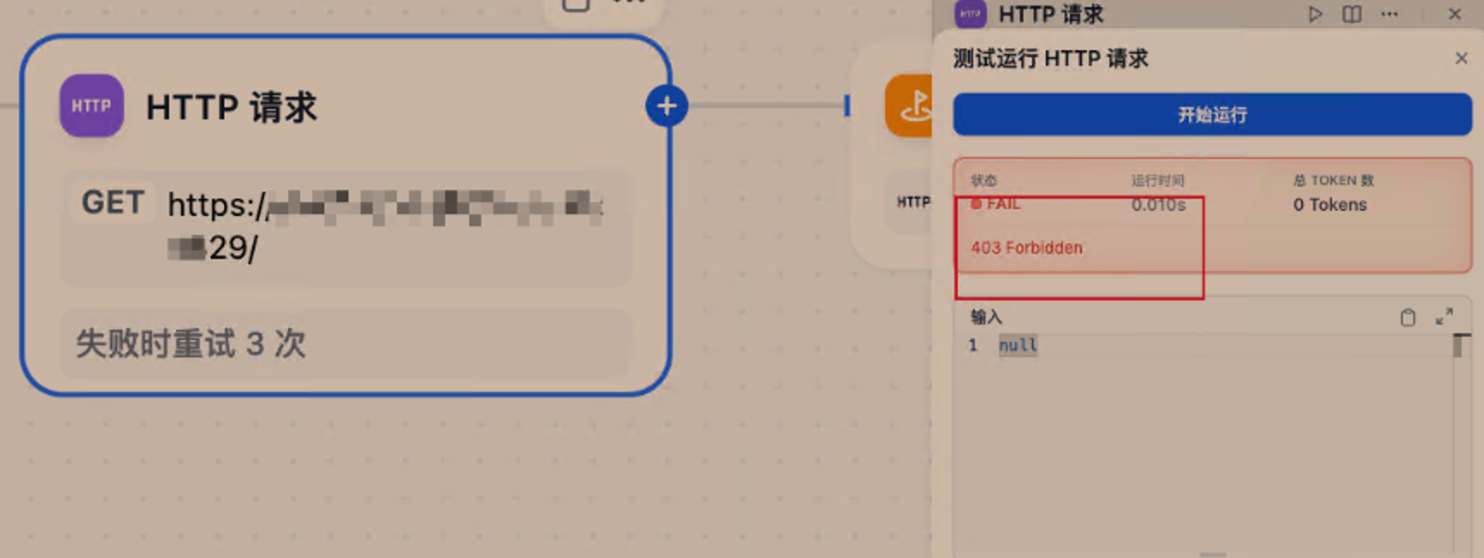
为了解决这一问题,按照下面步骤调整ssrf_proxy 的配置重启服务即可。博主使用的版本是 v1.13.3
找到 dify docker 部署的目录,修改配置文件 vi ./ssrf_proxy/squid.conf.template
找到 # acl SSL_ports port 1025-65535 这一样然后取消注释,然后执行docker-compose restart ssrf_proxy 重启服务即可
///省略
acl localnet src fc00::/7               # RFC 4193 local private network range
acl localnet src fe80::/10              # RFC 4291 link-local (directly plugged) machines
acl SSL_ports port 443
acl SSL_ports port 1025-65535   # Enable the configuration to resolve this issue:  https://github.com/langgenius/dify/issues/12792
acl Safe_ports port 80          # http
acl Safe_ports port 21          # ftp
acl Safe_ports port 443         # https
acl Safe_ports port 70          # gopher
acl Safe_ports port 210         # wais
acl Safe_ports port 1025-65535  # unregistered ports
acl Safe_ports port 280         # http-mgmt
acl Safe_ports port 488         # gss-http
acl Safe_ports port 591         # filemaker
///省略
至此问题解决。
The End
商业转载请联系作者获得授权,非商业转载请注明本文出处及文章链接